AI room designwith a shopping list

Upload a room photo, choose a style, and set your budget. RoomGen designs around real furniture, then gives you the prices and links to shop the look.

  • Real products
  • Room-wide budget
  • Direct shopping links
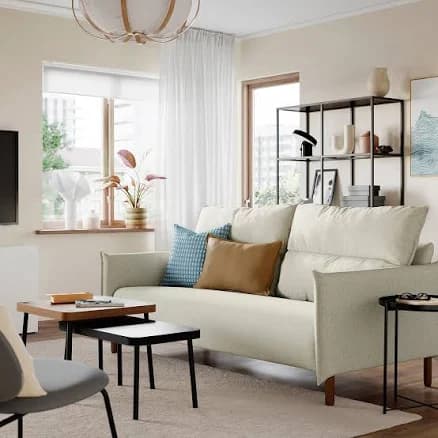
Warm living room interior used as a RoomGen shopping design example
Your shoppable designLiving room · Warm modern

Shopping list

7 products selected for this room

Estimated total

$3,248

$252 under budget

Example interface. Retailer prices and availability can change.

One photoOne room budgetReal product referencesOne useful shopping list

How it works

From empty brief to a room you can buy

RoomGen puts shopping before the final image. That means the concept starts with the room, products, and spending limit you actually have.

  1. 01

    Show us the room

    Upload one clear photo, choose the room type and style, then describe the atmosphere you want.

  2. 02

    Set the shopping brief

    Add your total furniture budget and a preferred retailer. RoomGen plans the product mix before rendering.

  3. 03

    See it, then shop it

    Get a redesigned room plus the selected products, seller links, estimated total, and budget remaining.

Room budget

$3,500

On budget
Seating$1,58045%
Tables + storage$73521%
Rug + lighting$63018%
Decor$3159%

Example allocation. Your product mix depends on the room and brief.

Plan before the render

Give the whole room one budget

Set the total amount you want to spend instead of pricing every object yourself. RoomGen uses the budget to shape the category mix and keeps an estimated running total for the selected products.
Product references

Chosen before the image

Sofa selected as a product reference
SofaSelected
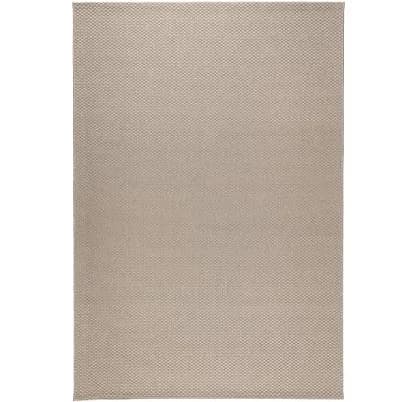
Rug selected as a product reference
RugSelected
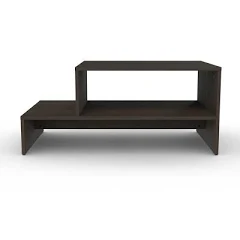
Table selected as a product reference
TableSelected
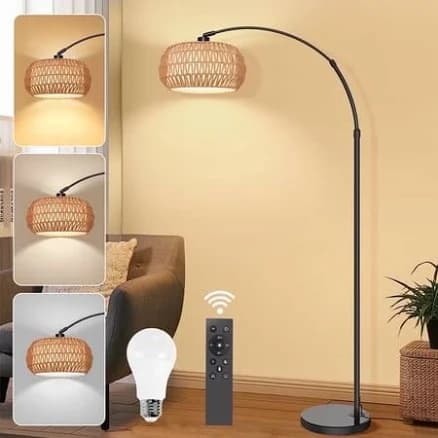
Lamp selected as a product reference
LampSelected

Built around products

Start with real items, not mystery furniture

RoomGen searches for furniture and decor before it creates the scene. Those items become visual references for the redesign, giving you a clear route from inspiration to a practical product shortlist.

Your room list

Warm modern living room

7 items

Main seating

Retailer link included

$1,249

Area rug

Retailer link included

$489

Coffee table

Retailer link included

$359

Floor lighting

Retailer link included

$189
Estimated room total$3,248

Everything in one place

Leave with a room plan you can use

Review the finished design beside product names, prices, sellers, links, and the estimated room total. Check dimensions and current retailer details before you order.

Picture or plan?

A good render shows the idea. A shopping list helps you act on it.

What you needAI renderRoomGen shop
A visual direction
Real product referencesNo
A total room budgetNo
Prices and shopping linksNo

Included in every shopping result

The design and the decisions behind it

  • A room design based on your photo
  • Real furniture and decor references
  • Product prices and retailer links
  • An estimated total against your budget
Styled living room inspiration for a RoomGen furniture plan

Ready to review

Room design + complete product list

Questions, answered

Before you design and shop

RoomGen gives you a practical shortlist, but dimensions, stock, shipping, and current prices should always be confirmed with the retailer.

What is an AI room design with a shopping list?+

It is a room redesign built around products you can shop. RoomGen selects furniture and decor for your room and budget, uses those items as references for the AI design, and returns a list with prices and retailer links.

Does RoomGen use real furniture in the design?+

Yes. The shopping workflow finds real products first, then uses those product references to create the room image. This gives you a more practical starting point than a render filled only with invented furniture.

Can I set a budget for the whole room?+

Yes. Enter a room-wide furniture budget before generation. RoomGen allocates that budget across the pieces your room needs and shows the estimated total for the final selection.

Can I choose where RoomGen shops?+

You can add a retailer preference to your brief. RoomGen will use that preference while searching, alongside your room type, style, atmosphere, and budget.

Will every product exactly match the generated image?+

RoomGen uses the selected products as visual references, but an AI-generated room image is still an interpretation. Use the product list, dimensions, and retailer details as the source of truth before buying.

Are prices and availability guaranteed?+

No. Retailer prices, stock, shipping, and product pages can change. RoomGen shows the information found during generation, so confirm the current details with the retailer before ordering.

Which rooms and styles can I design?+

You can create shopping-led plans for common spaces such as living rooms, bedrooms, dining rooms, home offices, and more, using a range of interior styles and atmospheres.

How much does the shopping feature cost?+

RoomGen plans start at $9 per month with 30 image credits. One shopping generation uses 3 credits. Current plans and allowances are shown when you sign up.

Start with the room you have

See the room. Know what to buy.

Upload your photo and turn a design idea into a coordinated shopping plan built around your style and budget.

Design my room

Plans start at $9/month · Shopping generations use 3 credits